
PDF Merge Free Online
Merge PDF Free with MR Tool Pro to combine multiple PDF files into one document. Easily organize invoices, reports, study notes, and business documents in a few simple steps, right from your browser.
Create Merge PDF | | Download it |100% Secure
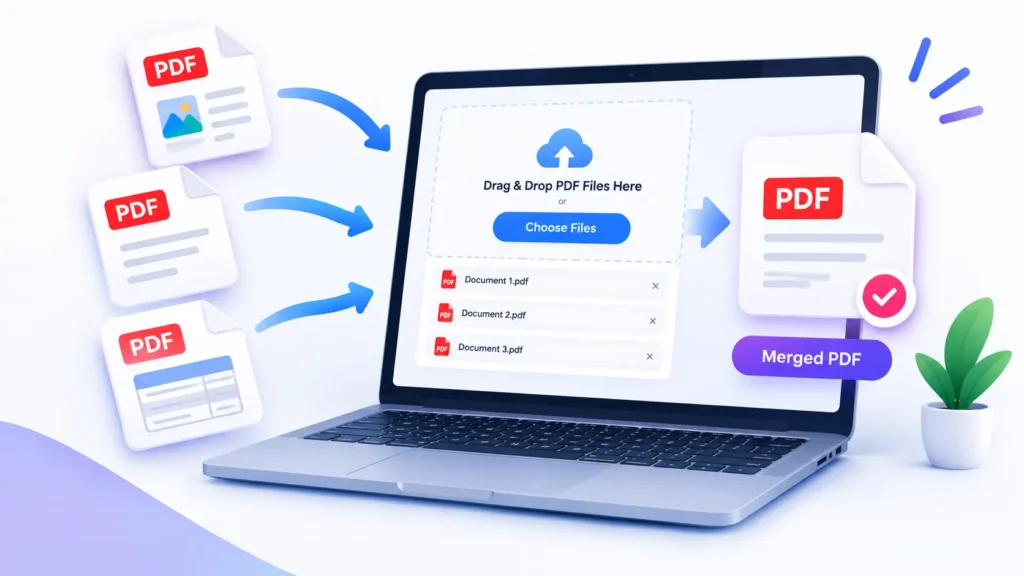
PDF Merge Free Files
Merge PDF
Combine multiple PDF files into one, in the order you choose.
How to PDF Merge Free Online?
Step 1: Select Your PDF Files
Choose the PDF documents you want to combine using the file upload option. Before uploading, make sure you have selected the correct documents.
Step 2: Check the File Order
If the tool supports file reordering, arrange your documents in the order you want them to appear in the final PDF. This is particularly useful when combining reports, invoices, or multiple chapters of a document.
Step 3: Start the Merging Process
Click the available merge button to begin processing your selected files. Wait until the tool finishes combining the documents.
Step 4: Download Your Combined PDF
Once processing is complete, download the merged PDF using the provided download option.
Step 5: Review the Final Document
Open the downloaded PDF and check the page sequence, readability, and completeness. Reviewing the output helps ensure that the combined document meets your requirements.
What Is a PDF Merger?
A PDF merger is a tool that combines two or more PDF documents into one file. Instead of keeping related documents separately, users can bring them together in a single, organized document.
For example, a student might combine lecture notes from several classes into one study file. A business owner might combine invoices and supporting documents into a single PDF for recordkeeping.
The resulting file is generally easier to share and manage than several separate documents, particularly when the documents belong to the same project or task.
Frequently Asked Questions
How can I merge PDF files for free?
You can merge PDF files for free using the MR Tool Pro PDF merge tool. Upload the PDF documents you want to combine, arrange them in the correct order, and use the merge option to create one PDF file. Download the combined document when processing is complete.
How to merge 2 PDF in 1 file?
To merge 2 PDF in 1 file, open the Merge PDF tool and upload both documents. Check their order, click the merge button, and download the resulting PDF. Both documents will be combined into a single file.
Is there a PDF merge free tool online?
Yes, an online PDF merge free tool can help you combine multiple documents without installing desktop software. MR Tool Pro provides a convenient way to merge PDF files through your browser. Check the tool’s file limits and privacy information before uploading sensitive documents.
How do I merge multiple PDF files into one?
To merge multiple PDF files into one, select all the PDF Merge Free documents you need, upload them to the tool, and arrange them in your preferred sequence. Start the merging process and download the final file. Review the completed PDF to make sure every page is in the correct order.
Can I merge a PDF file on a Mac?
Yes, you can merge PDF files on a Mac. You can use an online PDF merge tool in your browser or use the built-in Preview app to combine pages from different PDF documents. An online tool may be convenient when you want to merge files without installing additional software.
How do I merge two PDF files into one on a Mac?
On a Mac, you can use Preview to open a PDF, enable thumbnails, and drag pages from another PDF into the sidebar. Arrange the pages as needed, then save or export the combined document. You can also use an online PDF merge free tool if you prefer a browser-based option.
What is the difference between a PDF merge tool and a PDF converter?
A PDF merge tool combines two or more PDF documents into one file. A PDF converter changes a file from one format to another, such as converting a JPG image or Word document into PDF. Choose the tool based on the task you want to complete.
Can I merge PDF files without losing their original content?
A PDF merge tool is designed to combine documents while retaining their pages and content. However, the result can depend on the tool and the source files. After merging, check the final PDF to confirm that the text, images, page order, and formatting appear as expected.
Is PDF merge free safe for private documents?
Safety depends on how the particular tool processes and stores uploaded files. Before merging confidential documents online, review its privacy policy and file-retention practices. For highly sensitive information, consider an offline PDF application that keeps files on your device.
Is MR Tool Pro an alternative to iLovePDF for merging files?
MR Tool Pro offers a PDF merging option for users who want to combine documents online. iLovePDF is another service with PDF management tools. Compare supported file sizes, available features, privacy practices, and usage limits to decide which option best meets your needs.
Can I merge PDF files in a specific order?
Yes, if the PDF merge tool supports file reordering, you can arrange the documents before merging them. Check the sequence carefully before processing, then open the final PDF to verify that the pages appear in the intended order.
Do I need to install software to merge PDF files?
Not necessarily. A browser-based PDF merge tool can combine documents without requiring a desktop installation. This can be useful when working across different devices, provided that your browser and the tool support your files.
Can I merge password-protected PDFs?
Password-protected or encrypted PDFs may require the correct password before their contents can be processed. Whether they can be merged depends on the encryption and the PDF tool being used.
Can I merge PDFs with different page sizes?
Many PDF Merge Free tools can combine documents containing different page sizes into one file. However, the appearance of the final document can vary depending on the PDF processing system.
Can I merge PDF files without losing bookmarks?
This depends on the PDF merge free. Some tools may preserve document structure and bookmarks, while others may create a new combined document without retaining all original navigation features All Feautured of Merge Pdf like small pdf included.