
Free Online
QR Code Generator free
Our free QR code generator is designed for everyday QR code creation without unnecessary complexity. You can turn information that people normally type into a scannable code that works with compatible smartphones and QR scanning apps.
create QR Code | Scan it | Download it | Share it
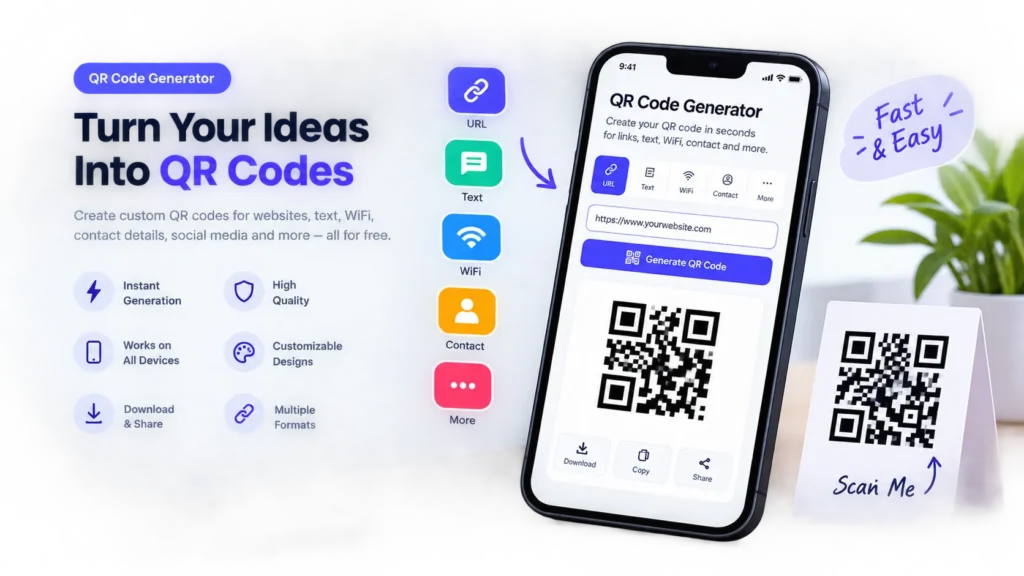
Your link stays in your browser. Nothing is uploaded or stored.
How to Create a QR Code?
Step 1 — Enter Your Link
Select the type of information you want to encode. For example, choose a URL if you want visitors to open a website after scanning.
Step 2 — Enter Your Information
Add the URL, text, contact details, or other supported information into the input field.
Before generating the code, check your information carefully. A QR code can only take users to the information encoded inside it, so an incorrect URL can lead to the wrong destination.
Step 3 —Generate the QR Code
Click the Generate QR Code button. The tool processes your information and creates the corresponding QR code.
Step 4 —Test the Code
Scan the generated code with a smartphone before using it publicly.
Testing is particularly important when the QR code will be printed on business cards, posters, packaging, menus, signs, or marketing materials.
Step 5 — Download & Use It
Once you have confirmed that the QR code works, download it using the available download option and place it where your audience can easily scan it.
QR Code Generator Free Online
A useful QR code tool should make the basic creation process easy to understand.
With an online QR code generator free tool, you can create codes directly from your browser instead of installing dedicated QR software. This is convenient when you need a QR code quickly for a website, document, presentation, business card, or printed material.
The most important part is not simply generating a QR pattern. The finished code should also be easy to scan.
Frequently Asked Questions
What is a QR Code Generator?
A QR Code Generator is an online tool that converts supported information such as a website URL, text, contact information, or other data into a scannable QR code.
Is a QR Code Generator free?
Many online QR code generators offer free QR creation. The features available for customization, analytics, dynamic links, or advanced management can vary between tools use more tools like finance , seo , or more available in Mrtoolpro
How do I create a QR code for free?
Enter the information you want to encode into the generator, select the appropriate QR type if available, generate the code, scan it to test it, and download the finished QR code.
Can I create a QR code without an account?
If the QR Code Generator does not require registration, you can create a QR code without creating an account. Check the tool’s current requirements before use.
Can I make a QR code for a website?
Yes. Enter the complete website URL into a URL-compatible QR Code Generator and generate the code. Always test the result before publishing it.
Can I create a QR code for Wi-Fi?
Yes, if the generator supports Wi-Fi QR codes. Enter the required network information and test the generated code with a compatible device.
Can a QR code store text?
Yes. QR Codes can encode different types of data, including text and other supported data formats. The amount of information affects the resulting QR code configuration.
Can I put a QR code on a business card?
Yes. QR codes are commonly suitable for business cards when the printed code is large and clear enough to scan from a normal viewing distance.
Can I put a QR code on a poster?
Yes. For posters, consider the distance from which people will scan the code. A larger display area generally allows for a larger QR code and easier scanning.
Why is my QR code not scanning?
Common causes include low contrast, insufficient surrounding space, distortion, poor image quality, an overly complex design, or a code that is too small for the scanning distance.
Can I customize a QR code?
Some QR generators provide customization options such as colors, shapes, frames, or logos. Any customization should be tested carefully because excessive changes can reduce scan reliability.
Do QR codes expire?
A static QR code does not normally expire simply because time passes. However, the website, service, or destination encoded in the QR code can stop working or change.
Can I edit a static QR code after creating it?
Generally, changing the information encoded in a static QR code requires generating a new QR code. A dynamic QR system may allow destination changes through its management system
Are QR codes safe?
A QR code is simply a way of encoding information. The destination behind a QR code can be safe or unsafe, so users should check the URL or information before proceeding.
Can I print my QR code?
Yes. Before printing, test the exact version you plan to use. Make sure the printed code remains sharp, has adequate contrast, and has clear space around it.
Can I use a QR code commercially?
QR codes can be used in many commercial applications. However, you should ensure that the content, destination, branding, and any third-party services you use comply with their applicable terms and requirements.