
Free Online
SERP Snippets
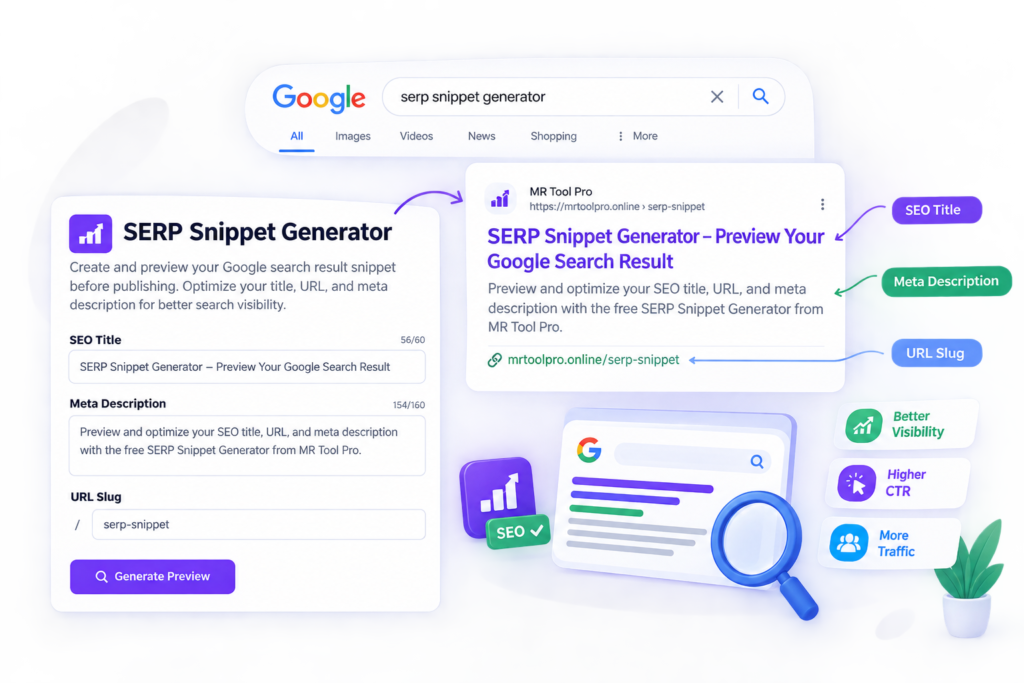
A modern SERP Snippets Generator illustration showing an SEO title, meta description, URL slug, and Google search result preview. The clean purple and blue interface represents MR Tool Pro’s free SEO tool for creating and previewing optimized search snippets before publishing.
Free to Use | No Sign UP | Fast Results | Easy to Understand
Best Serp Snippets Preview
SERP Snippet Preview
See how your page will look in Google search results, on both desktop and mobile, before you publish.
Result
How to Optimize Your Google SERP Snippet?
1. Write a Clear SEO Title
Create a unique title that describes the page accurately. Include your primary keyword naturally and make the purpose of the page clear. Avoid repetitive keywords or promises that your content does not support.
2. Create a Useful Meta Description
Write a concise description that explains what visitors will find on your page. Highlight the main benefit and use relevant keywords where they fit naturally. Google may generate a different snippet based on the search query.
3. Check Your Snippet Preview
Enter your title, URL, and meta description into the Google SERP snippet optimization tool. Review the preview, look for awkward wording, and adjust the text to improve readability. Remember that a preview is an estimate, not a guarantee of how Google will display your listing.
4. Use Structured Data Where Appropriate
Snippet and schema markup to stand out in SERPs can help search engines understand eligible content types. Choose an appropriate schema type, ensure it matches the visible page content, and validate the markup. Structured data does not guarantee rich snippets or higher rankings.
5. Review Performance and Improve
After publishing your changes, monitor impressions, clicks, and click-through rate in Google Search Console. Compare performance over time and refine titles or descriptions when there is a clear opportunity to improve relevance.
Key Features of Our SERP Snippet Preview Tool
MR Tool Pro’s SERP snippet preview tool helps you review important elements of a search listing before updating your webpage. Use it as a practical part of your on-page SEO workflow.
Title Preview: Review how your proposed SEO title may appear in a search listing.
Meta Description Preview: Check the wording and approximate display length of your description.
URL Display: Review the URL or breadcrumb shown in your preview.
Quick Text Editing: Refine titles and descriptions to make them clearer and more relevant.
Keyword Placement: Check whether your primary keyword fits naturally into the title and description.
Readability Review: Identify unclear wording, unnecessary repetition, and overly long text.
SEO Workflow Support: Prepare snippet text before saving your final changes in WordPress or your SEO plugin.
User-Friendly Interface: Review your proposed search listing in one convenient place.
Who Can Use This Tool?
This tool can help bloggers, website owners, SEO beginners, content writers, and digital marketers prepare clearer search snippets for blog posts, service pages, landing pages, and online tools.
Important: A SERP preview is an approximation. Google may rewrite titles and descriptions and decide independently whether to display rich results or featured snippets.
Frequently Asked Questions
What is a SERP snippets?
A SERP snippets is the information displayed for a webpage in search engine results Created By Mr Tool Pro. It commonly includes a page title, URL or breadcrumb, and a short description. Well-written snippets help users understand what a page offers before clicking.
What is a Google SERP snippets optimization tool?
A Google SERP snippets optimization tool helps you preview and refine how a webpage’s title and meta description may appear in Google search results. MR Tool Pro’s SERP snippet tool or also more seo tools can help you review your text and make improvements before publishing. Actual search result displays may vary.
How does a SERP snippets preview tool work?
A SERP snippets preview tool displays a simulated search result using the title, URL, and description you enter. You can review the wording, check approximate display lengths, and edit your text to make it clearer and more relevant to your target audience.
Why is Google SERP snippets optimization important for SEO?
Google SERP snippets optimization helps make search listings more relevant, descriptive, and appealing to searchers. A clear title and useful description may encourage more clicks, although rankings and click-through rates also depend on competition, search intent, and other factors.
What are the primary components of a SERP snippets?
The SERP snippets primary components typically include a title link, a displayed URL or breadcrumb, and a descriptive text snippet. Google may also show additional elements, such as dates or rich result details, depending on the page, structured data, and search context.
What are SERP rich snippets?
SERP rich snippets are enhanced search results that display additional information beyond a standard listing. Depending on the supported result type, they may include details such as product prices, ratings, or event information. Eligible structured data can help Google understand page content, but rich result display is not guaranteed.
How can snippet and schema markup help a website stand out in SERPs?
Snippet and schema markup to stand out in SERPs can help search engines understand specific details about a webpage. Correct structured data may make a page eligible for certain rich results. Always use markup that accurately reflects visible page content and follows Google’s structured data guidelines.
What is the difference between a SERP snippet and a featured snippet?
A standard SERP snippet describes a webpage within the search results. A SERP featured snippet is a selected answer that Google may display prominently to address a searcher’s question, often using text from a webpage. Website owners cannot directly request or guarantee a featured snippet.
Can a Google SERP snippets tool improve my website's rankings?
A Google SERP snippets tool helps you improve the wording and presentation of your search listing, but it does not directly guarantee higher rankings. Strong content, technical SEO, page experience, relevance, and useful information remain important for organic search visibility.
How do I optimize a SERP snippet for better click-through rates?
Write a descriptive title that reflects the page’s main topic, create a useful meta description, and match the searcher’s intent. Include your primary keyword naturally, explain the page’s value, and avoid misleading promises. Review your results in Google Search Console to evaluate performance.
What makes a good SERP snippet optimizer?
A good SERP snippet optimizer lets you preview titles, URLs, and meta descriptions, edit text easily, and check approximate character or display-width limits. It should help you create clear, accurate search listings without promising exact Google display results or guaranteed ranking improvements.
How do I use a Google SERP snippet optimisation tool?
Enter your webpage title, URL, and meta description into a Google SERP snippet optimisation tool. Review the preview, refine any unclear wording, and check that the content accurately represents your page. Then save your changes in your website’s SEO plugin and allow search engines to recrawl the page.
Is SERP snippet preview the same as seeing my actual Google search result?
No. A SERP snippet preview is a simulation based on the information you enter. Google may rewrite titles or descriptions, adjust displayed text, or show different elements depending on the query, device, and available page content.
How can I improve my chances of appearing in a featured snippet SERP?
To improve your chances of appearing in a featured snippet SERP, answer relevant questions directly, use descriptive headings, organize information clearly, and provide accurate, useful explanations. Tables and concise definitions can help when appropriate, but Google independently decides whether to display a featured snippet.
Does structured data guarantee SERP rich snippets?
No. Structured data helps search engines interpret eligible content, but valid markup does not guarantee enhanced search results. Use the appropriate schema type, ensure the markup matches visible content, and test your implementation with Google’s Rich Results Test when applicable.
What is a Bing SERP Checker?
A Bing SERP Checker is an online tool that helps you check search engine results on Bing for a specific keyword. It can help you understand which websites rank for your target search terms.
How can I check keyword rankings on Bing?
Enter your target keyword into a Bing SERP Checker and review the search results. You can use this information to identify competing websites, analyze ranking positions, and improve your SEO strategy.
Why should I use a Bing SERP Checker for SEO?
A Bing SERP Checker helps you understand how websites appear in Bing search results. It can help you research competitors, discover ranking opportunities, and track your SEO progress on Microsoft’s search engine.
What does SERPs check mean?
A SERPs check means reviewing search engine results pages to see which websites appear for a specific keyword. It helps you understand search rankings and identify your SEO competitors.
How can I check SERPs for a keyword?
Enter your target keyword into a SERP checker tool to review the search results. You can analyze ranking websites, compare competitors, and find opportunities to improve your content.
Why is checking SERPs important for SEO?
Checking SERPs helps you understand what type of content ranks for your target keyword. You can use these insights to improve your content strategy, match search intent, and identify opportunities to increase organic traffic.